
New in v1.7.4 An engine of its own. Scenes worth watching.

FluidEQ

System-wide EQ with its own audio engine · Windows 10 & 11

Your sound, finally worth watching.

A system-wide parametric EQ for Windows, run by its own audio engine or by Equalizer APO — your choice — with a nine-stage DSP rack, a player, karaoke, and visualizers drawn on your graphics card.

FluidEQ is free for Windows. FluidEQ Plus adds living visualizers, the Studio and more, joined inside the app. See Plus 

Windows 10 & 11 v1.7.4 GPL-3.0-or-later Unsigned installer 196 MB

The unsigned build is free on GitHub

Download FluidEQ v1.7.4

The download is free. Before you go, here is the one thing to know — and one completely optional way to help.

The unsigned build is free on GitHub Same application, unsigned — Windows warns about the publisher every time.

v1.7.4 196 MB Windows 10 & 11 Unsigned installer

SHA-256 0DDCC420D88DFBE96EE914CCE4CAA8C89DECD0F522E9F13B58E21987FE137BBD

What your PC needs

  • Windows 10 (version 1803) or 11, 64-bit · 4 GB of memory · about 600 MB of disk
  • Visualizers: any graphics from 2013 onwards. 4K, or a desktop background on several screens, prefers a dedicated card
  • Karaoke AI downloads its models on first use: 713 MB for voice separation, about 180 MB for pitch, 11 MB for noise removal
  • Comfortable: Windows 11 · 8 GB of memory · graphics from 2018 · 3 GB free for the AI models
QR code for the FluidEQ Buy Me a Coffee page

Buy me a coffee

Help FluidEQ reach more people

FluidEQ is an independent project built by one person. Your support buys the time to make it better, help more listeners, and explore versions for macOS and Linux. Every contribution is optional, and the Windows download stays free.

Buy me a coffee

Installation guide

Two clicks in Windows

Open the downloaded FluidEQ installer. If Windows shows this warning, follow these steps only for the installer from this site’s GitHub release.

1. Click “More info”

Click “More info”

Screenshots show English Windows; labels may differ. Follow the installer prompts next.

New in v1.7.4

An engine of its own. Scenes worth watching.

FluidEQ now shapes everything the computer plays, and FluidEQ Plus arrives with visualizers drawn on your graphics card. Swipe through what changed, then read every line of it.

Plus FluidEQ Plus

Watch the music move.

Plus visualizers are living scenes drawn on your graphics card. These are running in your browser right now, to the song from the demo video — the same scenes, through the same scene contract the app runs them in.

Playing to the demo song

Page colours
How to get Plus

A gallery of scenes, ready for your music.

Browse them in Plus → Visualizers, preview FluidEQ’s sample scenes for 10 seconds with any account, and add the ones you like to play them on the graph.

The window can take a visualizer’s colours or its light, and some bring birds, petals or stars that drift gently around the app — what this page is doing now.

The Plus Visualizers gallery with FluidEQ’s official scenes Chrome, Bloom, Aurora, Alpine and Neon City.

The short version of the Plus terms.

  • Cancel any timePaid on Buy Me a Coffee. FluidEQ never sees your card.
  • Nothing free is taken awayFluidEQ keeps working offline and without an account, as it always has.
  • You choose what is sharedThe leaderboard is off unless you join, and nothing you make leaves your computer unless you export or publish it.
  • Never your musicFluidEQ’s service never receives your audio, your track names or your EQ.

Plus is joined inside FluidEQ

  1. Download FluidEQ — it is free
  2. Sign in from Account in the actions menu
  3. Choose Plus and pay on Buy Me a Coffee with the same email, so FluidEQ can recognise it
Download unsigned installer Any account can preview the sample scenes first.

The FluidEQ Engine

Your EQ, on everything you hear.

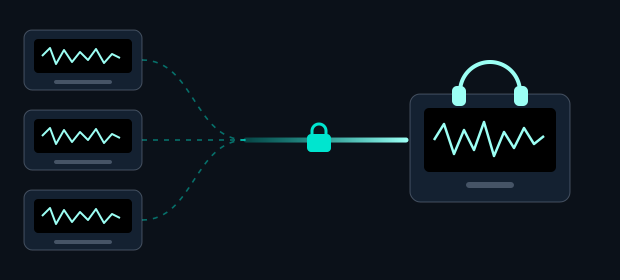
FluidEQ’s own audio engine runs inside Windows’ audio service, after your sound card’s effects — so games, browsers and streaming apps all pass through your EQ and the whole DSP rack, and the maker’s panel keeps working.

Every appGames, browsers, streaming, calls
WindowsAudio serviceOne engine for the whole PC
KeptSound card effectsThe maker’s panel still works
FluidEQ Engine Your EQ, then the DSP rack
  1. EQ
  2. Normalizer
  3. Denoise
  4. Exciter
  5. Bass Forge
  6. Equaliser
  7. Bass Punch
  8. Dimension
  9. Maximizer
  10. Master
OutYour headphones or speakers
No rebootSetup asks which engine you want. Switching later takes one Windows permission and a few seconds of silence while audio restarts.
Levelled, repaired, protectedThe Normalizer levels live audio song by song and remembers the songs it has heard, Denoise repairs hiss, hum and clicks as they play, and Auto normalize guards the output with a true-peak limiter.
Your sound comes back when FluidEQ goesQuitting from the tray takes the EQ and the rack off every output. If FluidEQ is ended or crashes, your sound is normally restored on its own.

FluidEQ Engine Recommended

  • Your sound card’s own effects and panel keep working
  • EQ and the DSP rack apply to everything, no restart
  • Custom APO commands, Peace and VST plugins do not run

Equalizer APO

  • Custom commands, Peace, VST plugins
  • Takes over your sound card’s effect slot; vendor panels can lose controls
  • DSP rack works in Library playback only. Separate setup, Windows restarts.

Switch any time from the actions menu. Updating FluidEQ keeps the engine you already have.

  • 2audio engines
  • 9DSP stages
  • 128bands per output
  • 6,229headphone models
  • 28free styles
  • 10languages
  • 0accounts needed to use it

Features

Five workspaces, one listening system

Online Media, EQ, DSP, Library and Karaoke share one transport, one volume and one clear signal story. EQ keeps its bands, headphone corrections, voicing and convolution together; under the FluidEQ Engine the DSP rack works on every app.

Online Media

Online video with the live response underneath

Play online video inside FluidEQ while the response graph and the live spectrum stay in view, and one player at a time keeps Library, Karaoke and Online Media from talking over each other.

1active player at a time

Online Media — Online video with the live response underneath

EQ

Up to 128 bands, every filter type

Headphone corrections from 6,229 models, voicing, convolution and your own bands, each a layer with its own switch and strength. New in 1.7: EQ mode, band designs, and switching a band off without losing it. Try the layers here.

128bands per output

DSP

A nine-stage rack for everything you hear

Normalizer, Denoise, Exciter, Bass Forge, Equaliser, Bass Punch, Dimension, Maximizer and Master. Under the FluidEQ Engine the rack works on everything you hear; under Equalizer APO, on FluidEQ’s own player.

47DSP EQ presets

DSP — A nine-stage rack for everything you hear

Library

Your own music, played in the app

Browse by album, artist, song or video, and turn whatever you are looking at into the queue. The next song starts even while FluidEQ is minimized, and its taskbar button carries Previous, Play/Pause and Next.

5ways to browse

Library — Your own music, played in the app

Karaoke

Timed lyrics, multilingual sheets, pitch lane and chords

Timed lyrics, a pitch lane and estimated chords in the player; the Karaoke Maker splits a song into voice and backing and lines the lyrics up on your machine.

3lyric formats

Karaoke — Timed lyrics, multilingual sheets, pitch lane and chords

No virtual audio device, no telemetry, and no account needed for the free app.

All 27, in detail

Portrait of Ivan Carmenates Garcia, the developer behind FluidEQ
Ivan Carmenates Garcia Developer · father · still shipping

The person behind FluidEQ

Built between bedtime and the next idea.

I’m Ivan Carmenates Garcia. I belong to the in-between era: old enough to have written Z80 machine language by hand, young enough to still ship software today.

  1. 01

    The first machine

    My father traveled across provinces to find his kid a better computer. That machine opened a door I never stopped walking through.

  2. 02

    Closer to the metal

    MSX-era BASIC led to hand-written Z80 code, then to a lifetime of asking how complex software could feel clear and immediate.

  3. 03

    Still shipping

    Today I’m a developer, a father of two, and the person building FluidEQ. The quiet hours after family time are when filters are tuned, bugs are chased, and the next workspace takes shape.

One coffee is roughly one late night of building. It helps keep FluidEQ free, local, maintained, and moving forward.
Support my work Find me on LinkedIn 

A hidden reward

Find the beat. Keep the spectrum.

Tap the pet on the beat. In FluidEQ the game hears the percussion in your own audio; here, reach ×10 and this page turns rainbow too.

In FluidEQ itself, Rainbow mode is one click away in the What’s new tour — no ×10 required.

What actually changes

  • Every EQ band drops its single teal and takes its own colour, and each slider pulses with what that band is hearing.
  • The response curve thickens and its glow becomes the spectrum. The selected handle swells with the level under it.
  • The title-bar meter grows taller and starts drawing at your screen’s full refresh rate instead of the thirty it is capped to otherwise — the wave gets visibly smoother.
  • Menus, About and What’s new pick up the same sweep, so the colour is not just on one screen.
  • The pet gets a spinning aura, and the moment you reach it two rings go out across the whole window.
  • Nothing behind text is tinted. The colour lives on edges and on things that were already moving, so the app stays readable.
  • Ctrl+E turns it off and on from then on, and reduced motion keeps the colour while holding it still.

FluidEQ / v1.7.4

Free to download. Plus when you want more.

The complete app costs nothing, and neither does building it yourself. FluidEQ Plus is an optional membership for the scenes and the places they live, joined inside the app.

FluidEQWindows 10 & 11

$0free, GPL-3.0-or-later

  • Both engines: the FluidEQ Engine or Equalizer APO
  • EQ, headphone corrections, convolution and the nine-stage DSP rack
  • Library, Karaoke and the Karaoke Maker, Online Media and Share Audio
  • 28 styles for the graph, with Auto switching
  • One scene of your own in the Studio, with a free account
Download unsigned installer

FluidEQ PlusPlus

$5a month, or $50 a year · cancel any time

  • Plays and adds every scene in the gallery, and unlocks the Plus looks
  • The whole Studio: every project, and your scenes in your looks, in the gallery or as a file
  • Scenes on your desktop and on your RGB lights (beta)
  • A place on the leaderboard, if you choose to join
  • One account, signed in on up to 5 computers at a time

Joined in the app FluidEQAccountPlus

FluidEQ is free software under the GNU GPL v3. Plus is a membership for scenes and online features — nothing on this page restricts what you may do with the software.