First, two minutes in the app
Help → Fix audio problems… walks through the usual causes: the wrong output, an output marked OFF, the engine not running, Windows' audio enhancements switched off.
A bug: Help → Report a problem
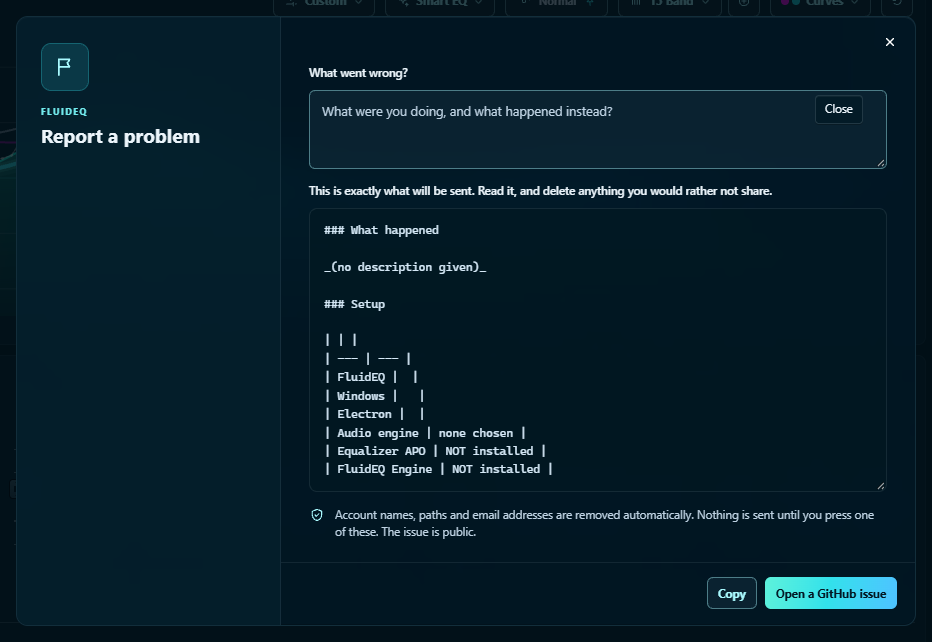
- It fills in a GitHub issue with what FluidEQ knows about your outputs and engine, and its log since your last report.
- You see every line before anything is sent. Account names, paths and email addresses are removed automatically.
- Nothing is sent until you press Copy or Open a GitHub issue. Issues are public.
- Every issue can be followed inside the app, under Help → Forum → Issues.
Everything else
- Questions and "is this normal?": Q&A. Mark the answer that worked.
- Ideas: Ideas, where the 👍 is a vote.
When the sound itself is wrong, an issue beats a forum post: it doesn't get lost. The engines, and what OFF means: How the sound reaches your ears.