Scenes
The look picker, laid out like the Library
A rail of places, the makers in tabs of their own, and every standard look moving in it, drawn live. It opens on the look that is playing.
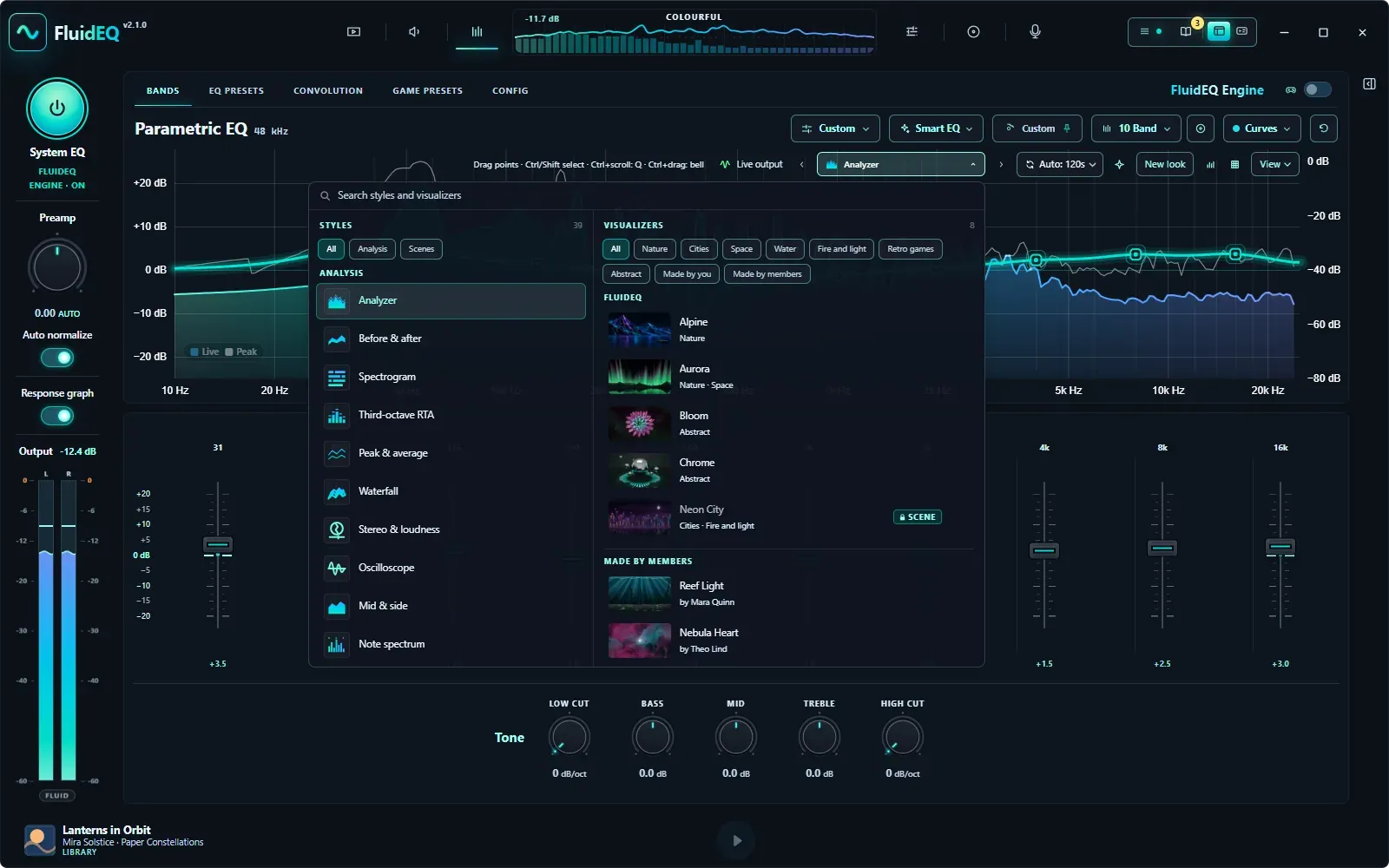
Made for your music
Living scenes drawn on your graphics card, where the bass, the beat and the treble each move something different — on the graph, behind your desktop icons and in your desk’s lights. Browse the gallery, or make your own in the Studio.

 FluidWallpapers
Want more live wallpapers? Try FluidWallpapers.
One FluidEQ account signs in to both apps.
fluidwallpapers.com ↗
Scenes FluidEQ
Scenes are living pictures drawn on your graphics card that move with your music. These are running in your browser right now, to the song from the demo video — the same scenes, through the same scene contract the app runs them in.

This browser cannot draw WebGL2, so the scenes stay still here. In FluidEQ they move with your music.
The gallery
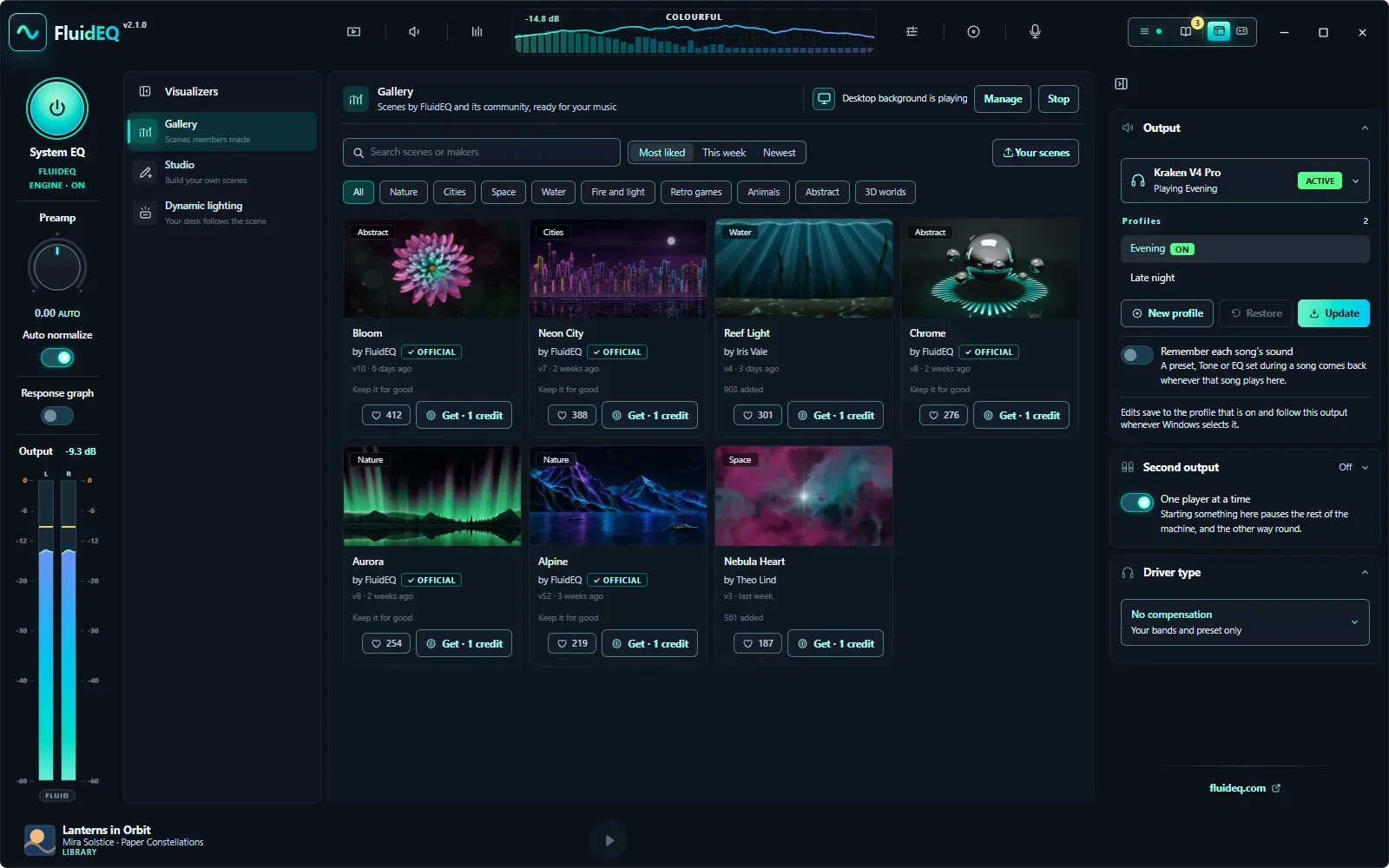
The four above are from FluidEQ’s official collection, and new ones are on the way. Members make scenes of their own in the Studio and publish them, so the gallery keeps growing with its community — browse it by most liked or most used, by what is new or updated this week, or only the scenes you don’t have yet.
Official scenes Made by members
Highlighted: the categories playing above.
Browse them in Scenes → Gallery, watch any scene for 10 seconds with a free account, and keep the ones you like for one credit each.
The window can take a scene’s colors or its light, and some bring birds, petals or stars that drift gently around the app — what this page is doing now.
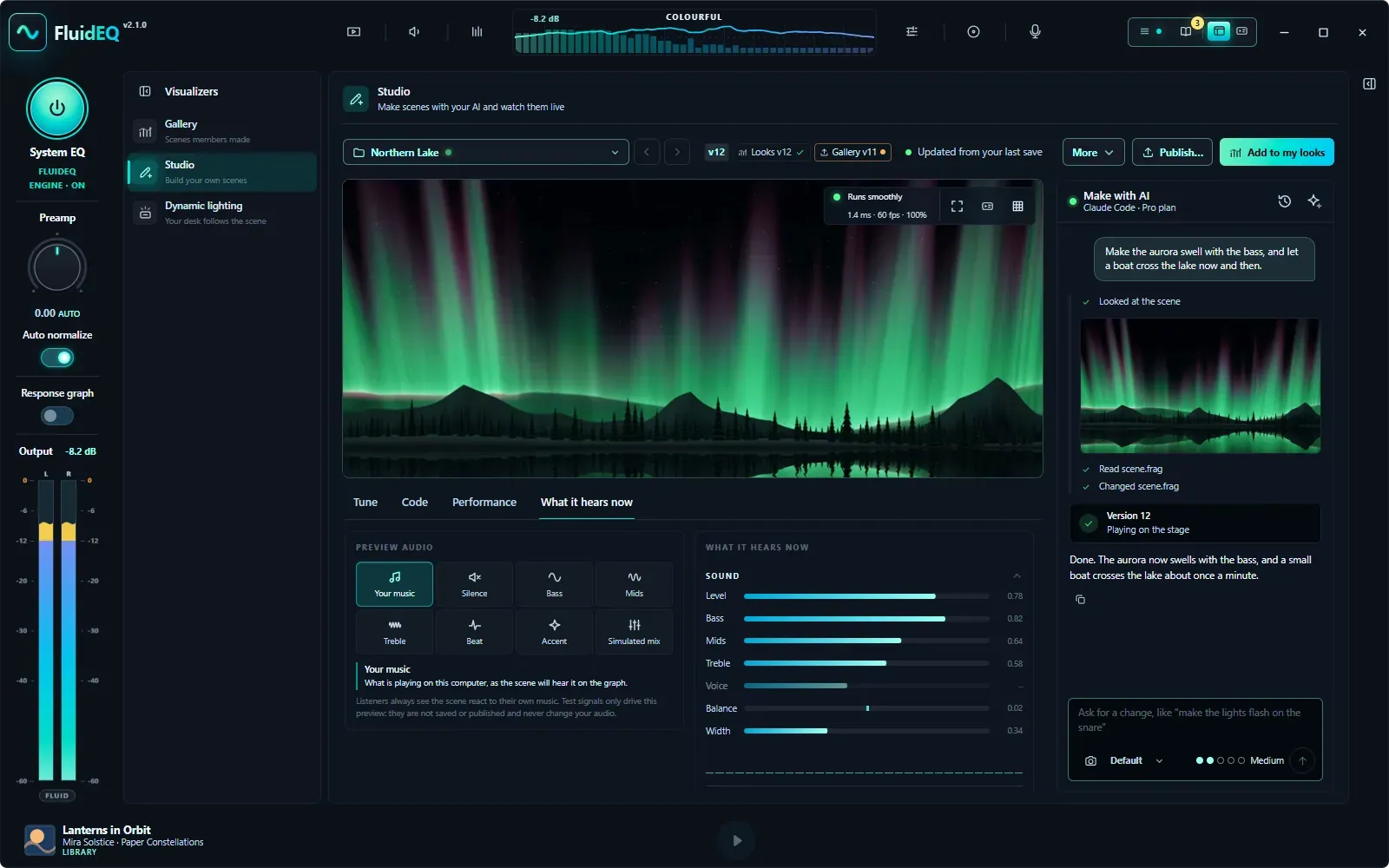
Tell the scene’s chat what you want, or paste FluidEQ’s prompt into your own AI assistant, and the scene plays on your music as the files are saved. Projects, a code pane you can edit, Edit mode, test signals, pictures and scene settings share one page.
The Studio is free for every account: make as many scenes as you like, publish them to the gallery, share them as files — or open one of FluidEQ’s own scenes to see how it is made. Once a scene you publish is approved, it plays free for you everywhere.
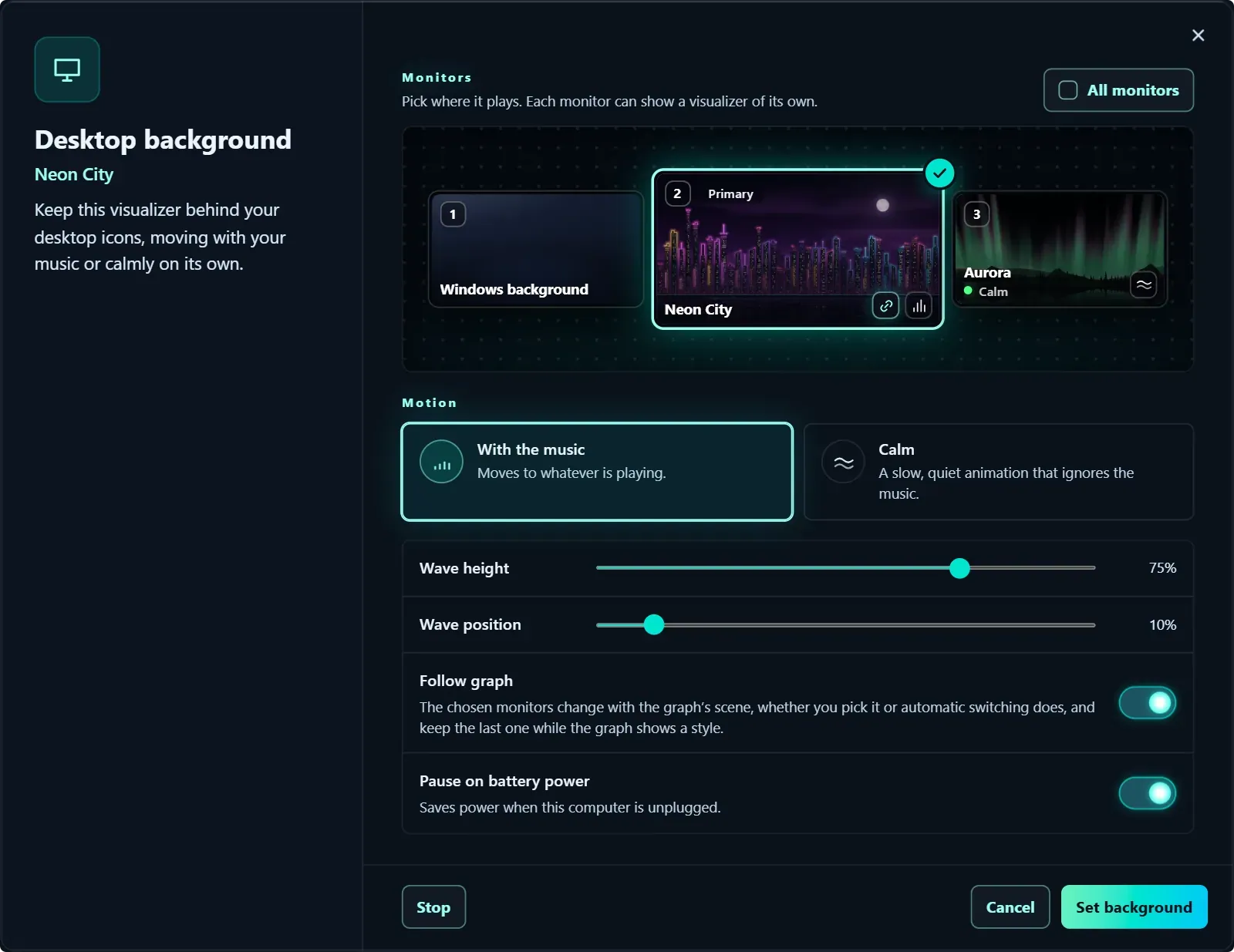
A different scene on each monitor, moving with the music or calmly on its own. It pauses for full-screen apps, a locked PC and battery power, and comes back the next time FluidEQ starts.
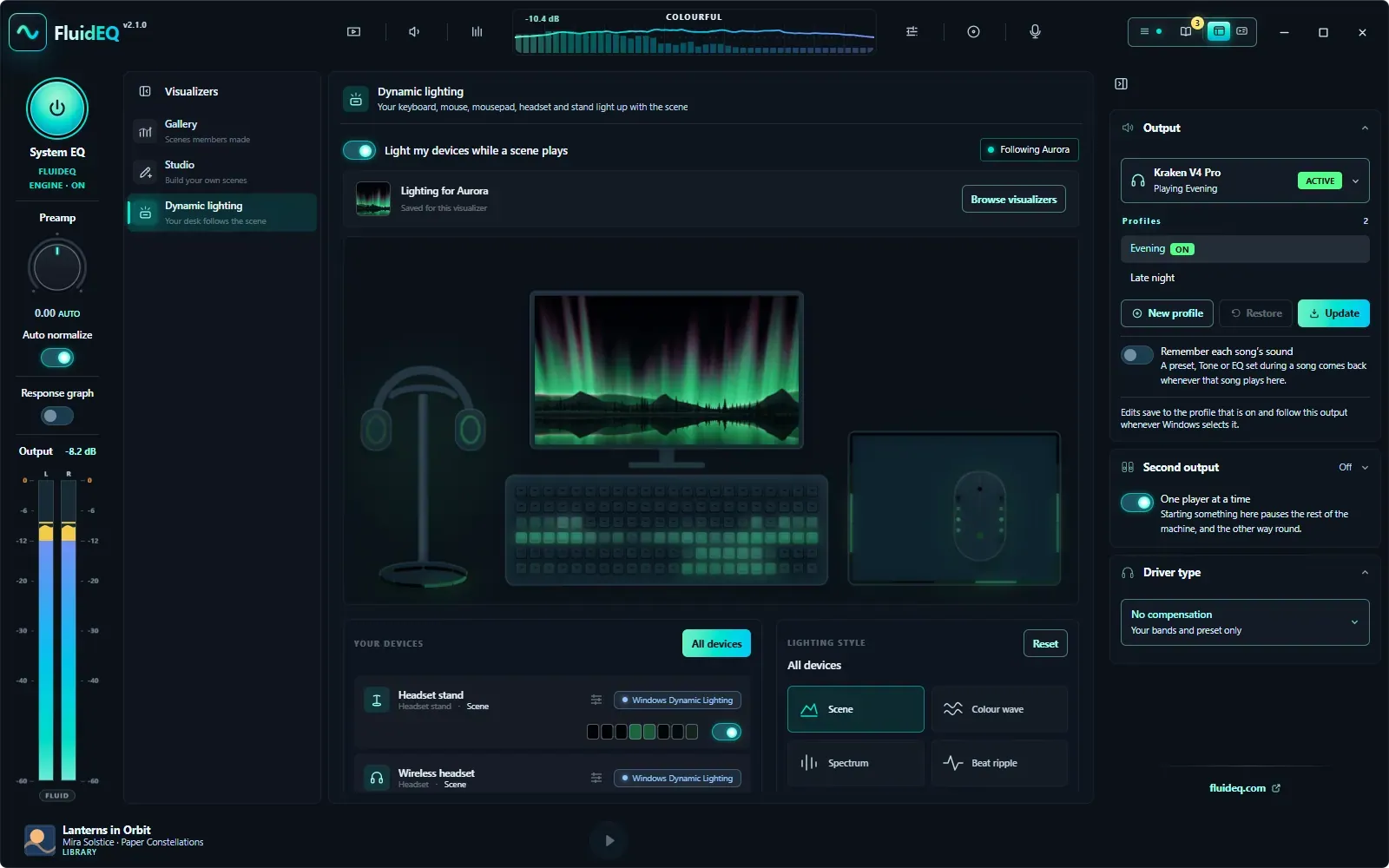
Keyboard, mouse, mousepad, headset and stand follow the scene on the graph, through Windows Dynamic Lighting and Razer Chroma. Choose Scene, Colour wave, Spectrum or Beat ripple for each scene, tune each device, and watch a live preview of your own desk.
Scenes are bought inside FluidEQ
Scenes Make it with your AI
The Studio turns a description into a scene. Each scene has its own chat with your own Claude, which writes the scene in its project folder, and FluidEQ plays each version on your music the moment it is saved. The Studio is free for every account.
Give it a name. FluidEQ makes its folder, with a scene that already moves.
What it shows, and what moves with the beat, the bass or the treble. A photo of yours can come alive too.
It tells your AI how FluidEQ scenes are made, with your idea at the end. Every file it saves plays on the stage right away.
Any assistant that works on files: Claude, Cursor, Codex, Copilot. With a chat instead, save the files it gives you in this folder.
Check it as the graph, Ultra wide and the Compact player first. Once it is reviewed, anyone signed in can find it in Scenes and watch it for 10 seconds, and one credit keeps it in their looks for good.
Studio
How to start Open Scenes and choose Studio in its rail.
Coming soon · v2.6.0
Scenes lend the window colors you can tune, play behind the Library’s cover and in Karaoke’s lyric window, and come to a look picker now laid out like the Library.
Scenes
A rail of places, the makers in tabs of their own, and every standard look moving in it, drawn live. It opens on the look that is playing.
A scene lends the window the day’s colors, darkened as night comes. Change them as you like, with Automatic to find them again and Reset.
On the Library a scene plays behind the record, which stays sharp in front of it, and Karaoke’s scene plays in the lyric window.
Scene tiles play their clips while they are in view, in the look picker and the gallery alike, and stand still with animations off.
The next scene is prepared while the current one plays, then crossfaded in, with no loading ring between them.
A new account starts with one credit: one scene to keep. Scenes download from a new server, every file checked before it is kept.
The Studio records a scene’s preview on the silent demo song when you press Send, and Write with AI fills its publishing note from its chat.
Preview of the next release. The download is still v2.5.2.
Read all 61 changes →A hidden reward
Tap the pet on the beat. In FluidEQ the game hears the percussion in your own audio; here, reach ×10 and this page turns colorful too.
In FluidEQ itself, Colorful mode is one click away in the What’s new tour — no ×10 required.